





One pipeline
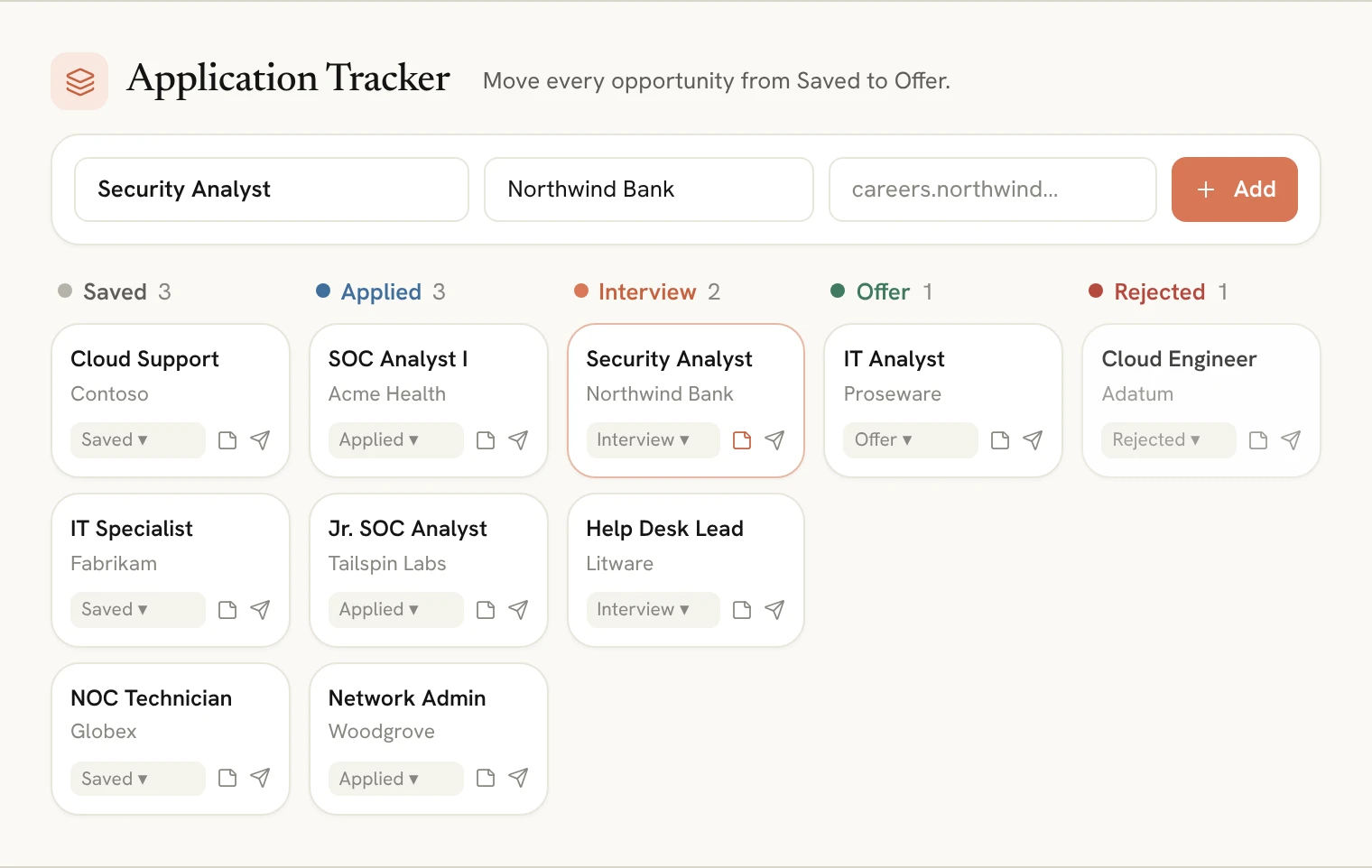
Every application sits in a stage, from Saved and Applied to Interview, Offer or Rejected, with a count for each, so you can see your whole search at a glance.
- Five clear stages
- A count for each stage
- Move a job in one click

Keep your whole job search in one pipeline: Saved, Applied, Interview, Offer and Rejected. Add a role in seconds, keep notes on recruiters and interview dates, draft a follow-up for any application, and track a job straight from the resume’s Tailor to Job tab.
Included with Pro · Cancel anytime



One place for every role, every stage and every note.
Every application sits in a stage, from Saved and Applied to Interview, Offer or Rejected, with a count for each, so you can see your whole search at a glance.
Keep the recruiter’s name, interview dates and follow-ups on the application itself, with the job link one click away.
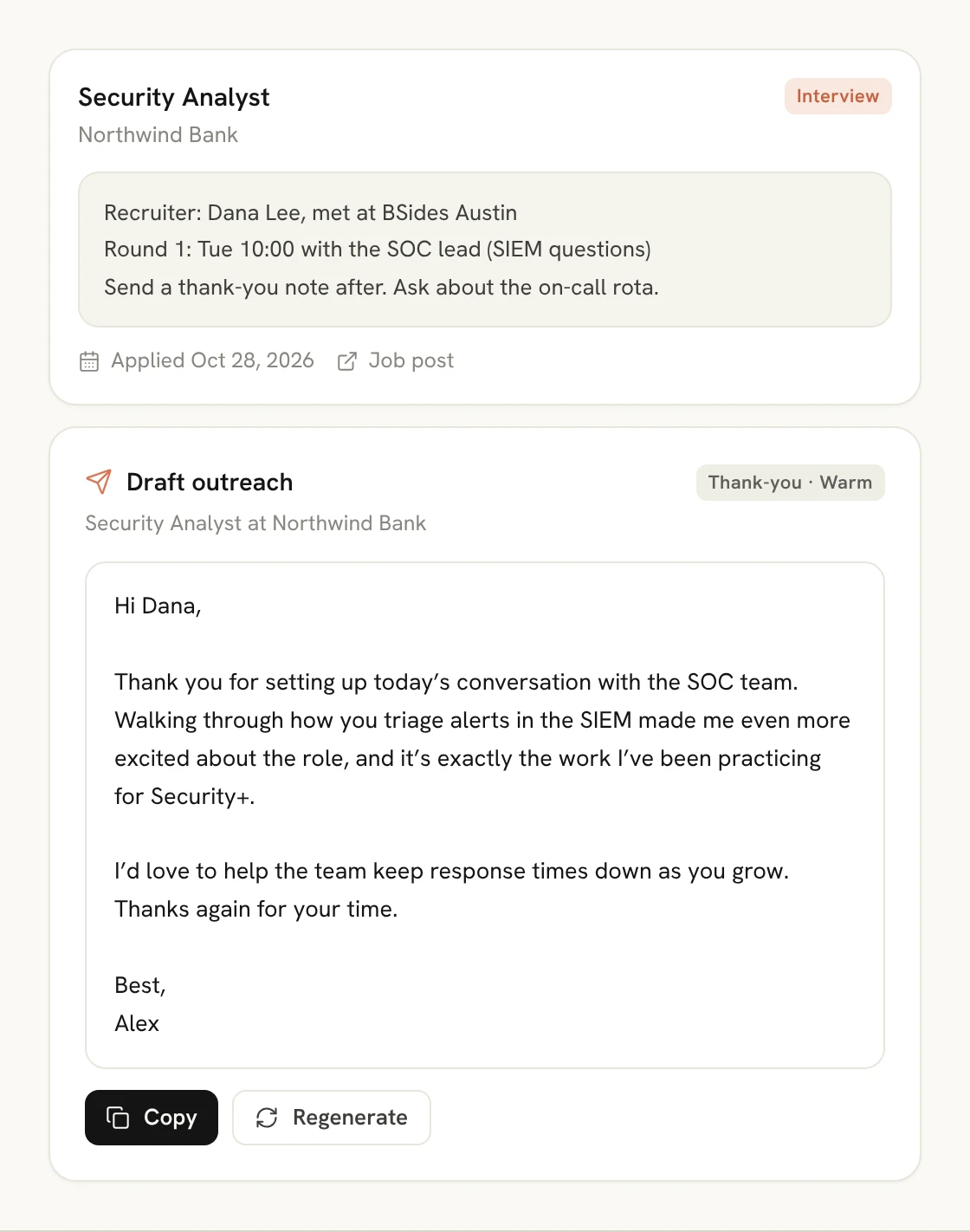
Tailor your resume to a job post and add it to your tracker in one click, and draft outreach or a follow-up for any application with the Outreach Writer.
Your search at a glance
See how many roles you’ve saved, applied to and interviewed for, and move each one along as you hear back. Add a job with just a title, company and link.
Follow up
Open an application to keep notes on the recruiter, interview dates and next steps, and draft a follow-up or thank-you note for that exact role and company in a click.
How it works
Type the title, company and link, or track it from the resume’s Tailor to Job tab.
Change its stage as you apply, interview and hear back.
Keep notes, and draft follow-ups and thank-you notes that get replies.
Pricing
Start for free. Upgrade anytime. No hidden fees.
Backed by our 100% Pass Guarantee
Compare everything in each plan$0/month
200 credits · No credit card required
$19/month
Cancel anytime
FAQs
Find quick answers or contact our support team.
Saved, Applied, Interview, Offer and Rejected. Moving a job to Applied records the day you applied.
Type the job title, and the company and link if you have them. Or paste a job post into the Resume Optimizer’s Tailor to Job tab and choose Track this application.
Yes. Each application has a button that opens the Outreach Writer for that role and company, for a follow-up, a thank-you note or a referral request.
The Application Tracker is included with Pro.
Keep exploring
Career Tools
Sit the interview. Before the interview.
Explore AI InterviewerCareer Tools
Turn your certification into a job offer.
Explore AI Resume OptimizerCareer Tools
Your path from certification to job offer.
Explore Career RoadmapOpenpassAI
Hi 👋 I’m OpenpassAI. Ready to prepare for your exam the smarter way?
Ready to explore OpenpassAI? I can show you how the platform helps you prepare, practice, and pass.