







OpenpassAI
Hands-on Labs

Get your hands on a real terminal.

Hands-On Labs put you in a working Linux or Windows terminal and let you run real commands to complete real tasks — query DNS, check services, fix what’s broken. No multiple choice, no watching a video. You type the commands, hit the objective, and verify your work — all in a safe, simulated environment.

No credit card · 200 free credits · Cancel anytime

Hands-on labs for every certification you’re chasing

  • CompTIA
  • AWS
  • Cisco
  • Microsoft
  • Google Cloud
  • ISC2
  • NVIDIA
  • Databricks
  • Red Hat
  • Splunk
  • Salesforce
  • Linux Professional Institute

Stop reading about commands. Run them.

The difference between knowing a command exists and being able to use it.

01

A real terminal, not a quiz

Type real commands into a working Bash or PowerShell shell and watch them run against a live environment. This is the hands-on skill exams describe — and employers actually hire for.

  • Run genuine CLI commands
  • See real responses, not canned answers
  • The skill, not just the theory
02

Linux and Windows

Practice on a Linux Bash terminal or a Windows PowerShell terminal — switch to match what you’re studying, or where you work.

  • Linux · Bash terminal
  • Windows · PowerShell terminal
  • Switch any time
03

Guided to expert

Start in Guided mode with step-by-step help, move to Standard with hints only, then prove yourself in a timed Expert challenge with no hand-holding.

  • Guided · step-by-step
  • Standard · hints only
  • Expert · timed challenge

Choose your path

Three ways to get hands-on

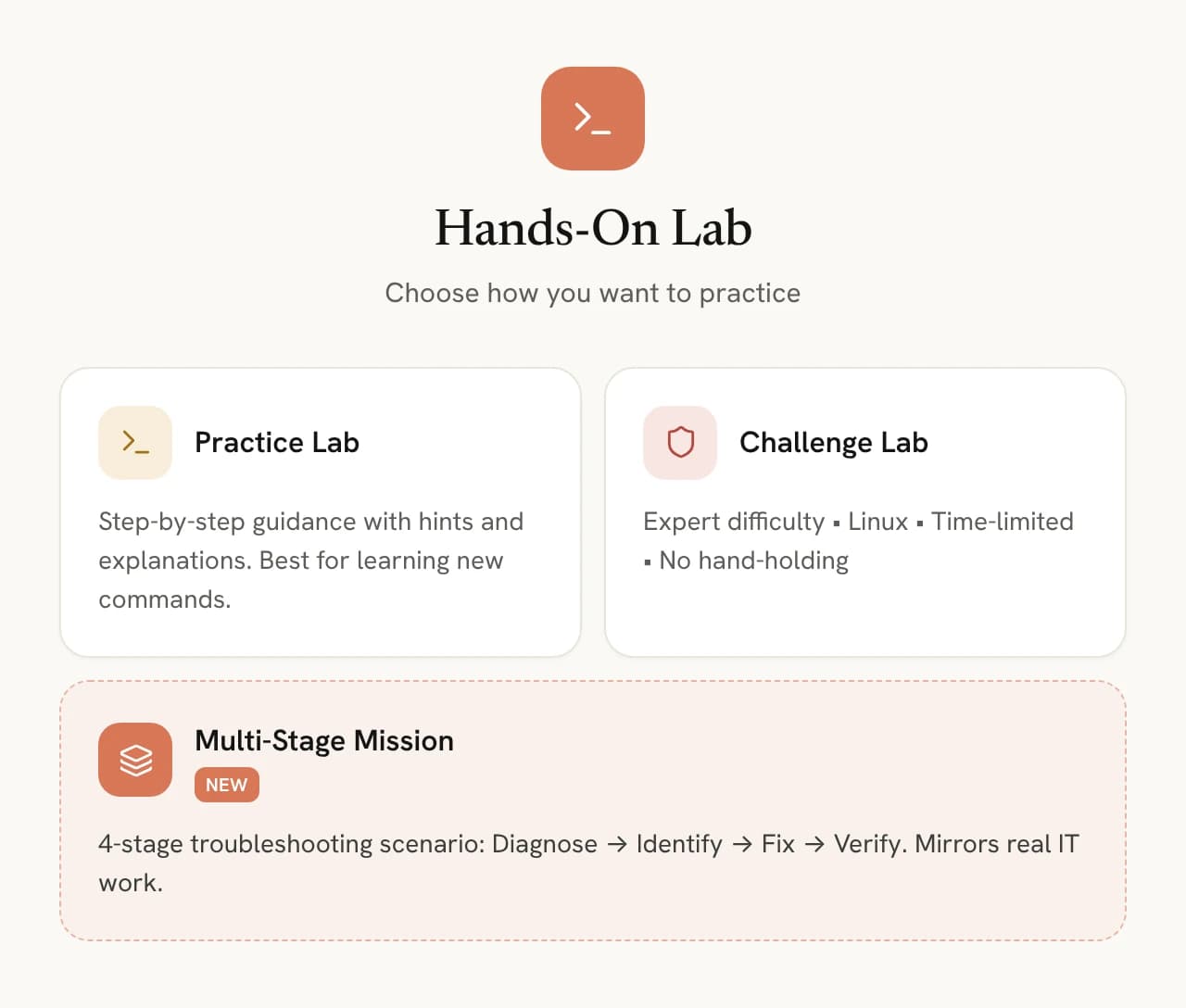
Pick how you want to practice. Learn new commands in a Practice Lab with hints and explanations, test yourself in a no-hand-holding Challenge Lab, or take on a Multi-Stage Mission that walks the full real-world troubleshooting arc.

Choosing a lab type: Practice Lab, Challenge Lab or Multi-Stage Mission

Your environment, your rules

Linux or Windows. Guided or expert.

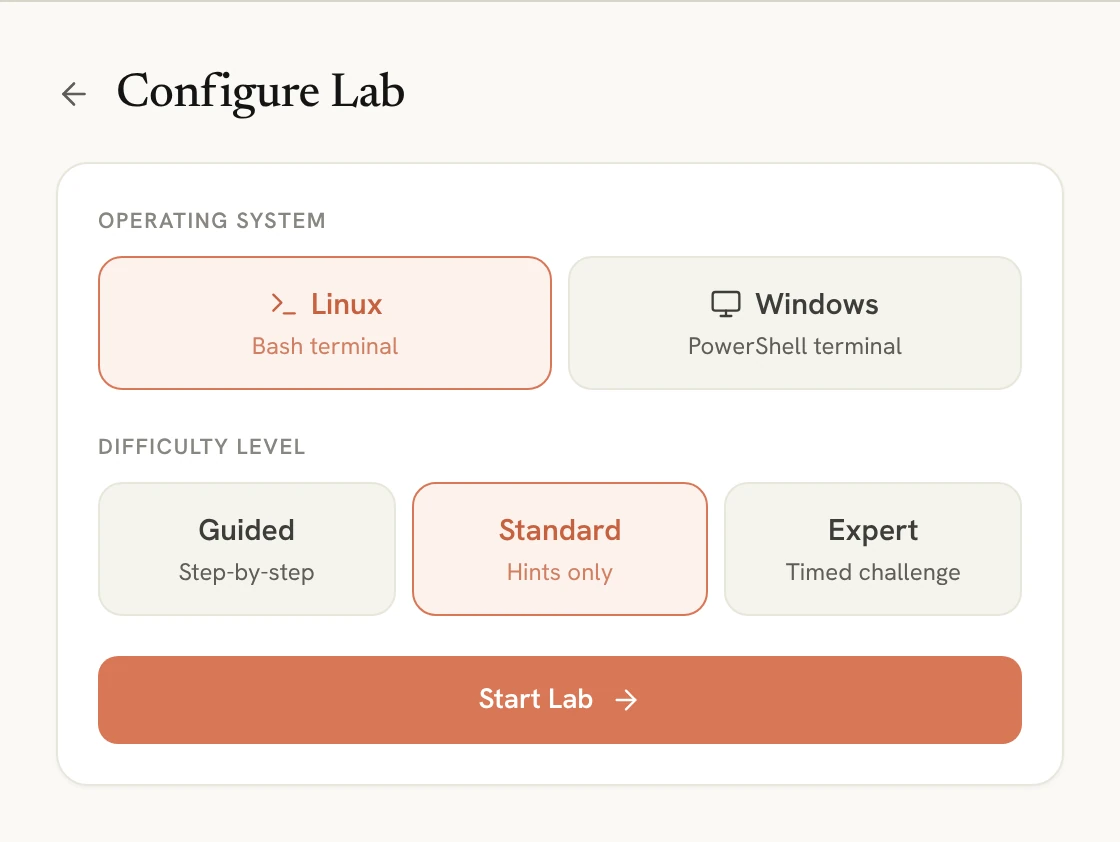
Set up your lab in two taps. Choose your operating system — a Linux Bash terminal or a Windows PowerShell terminal — and your difficulty, from fully guided to a timed expert run. Every lab is tuned to exactly how you want to practice.

Configure Lab: Linux or Windows, and Guided, Standard or Expert difficulty

Inside every lab

Everything you need to actually do the task

Each lab is a complete, self-contained challenge — set up, supported, and verified.

A clear objective

Every lab opens with a real task to accomplish — exactly the kind of job you'd be handed on shift.

A real environment

A working machine — like Ubuntu running BIND9 — responds to your commands for real, so nothing is faked.

AI 'Explain' on tap

Stuck on a command or its output? Get it broken down for you without ever leaving the terminal.

Verify your work

Hit Verify to confirm you actually completed the objective correctly — instant proof you can do it.

Free, no sign-up

Try a lab before you sign up

14 free labs run in your browser on practice machines: Linux and Windows command line, firewall rules and SOHO router setup.

The hands-on labs made a huge difference for me. I was tired of just reading theory and hoping it would stick. With OpenpassAI, I actually practiced the skills, and that gave me real confidence before exam day.
Maria S. · CompTIA Security+ Student

Pricing

Achieve your career goals faster

Start for free. Upgrade anytime. No hidden fees.

Backed by our 100% Pass Guarantee

Compare everything in each plan

Free

$0/month

200 credits · No credit card required

Start Free
  • 200 starter credits
  • Sample practice exams & simulators
  • Explore audio lessons
  • Review with flashcards
  • Test selected hands-on labs

Pro

Unlimited

$19/month

Cancel anytime

Upgrade to Pro
  • All certification paths in one subscription
  • AI Tutor for instant guidance
  • Practice exams for real test readiness
  • Hands-on labs for practical skills
  • Interview skill builder for better answers
  • Resume optimization engine for a stronger profile

FAQs

Got Questions? We’ve Got Answers.

Find quick answers or contact our support team.

Is it a real terminal or a simulation?

You work in a safe, simulated environment that behaves like a real machine — you run genuine Bash or PowerShell commands and see real responses, with zero risk to your own system.

Do I need to install anything?

No. Everything runs in your browser — pick Linux or Windows and start typing immediately.

What if I get stuck on a command?

Use Guided mode for step-by-step help, or tap Explain any time to have a command or its output broken down for you.

How are labs different from performance-based questions?

A lab puts you in a working Linux or Windows terminal to complete a task from start to finish. Performance-based questions are shorter, exam-style tasks: drag-and-drop, command-line tasks at a Cisco, Linux or Windows prompt, and network topology exercises. OpenpassAI includes both.

Do labs cover my certification?

Yes — labs span 40+ vendors including CompTIA, AWS, Cisco, Google Cloud, Microsoft and ISC2, mapped to hands-on exam objectives.

Keep exploring

More ways OpenpassAI gets you exam-ready

Learning Tools

AI Tutor Chat

An AI tutor that teaches the way you learn best.

Explore AI Tutor Chat

Learning Tools

AI Practice Exams

Practice like it’s the real exam.

Explore AI Practice Exams

Learning Tools

AI Analytics

Know exactly how ready you are.

Explore AI Analytics

Ready to Get Certified Faster?

Start free today or see it in action first.

OpenpassAI

Hi 👋 I’m OpenpassAI. Ready to prepare for your exam the smarter way?

Ready to explore OpenpassAI? I can show you how the platform helps you prepare, practice, and pass.